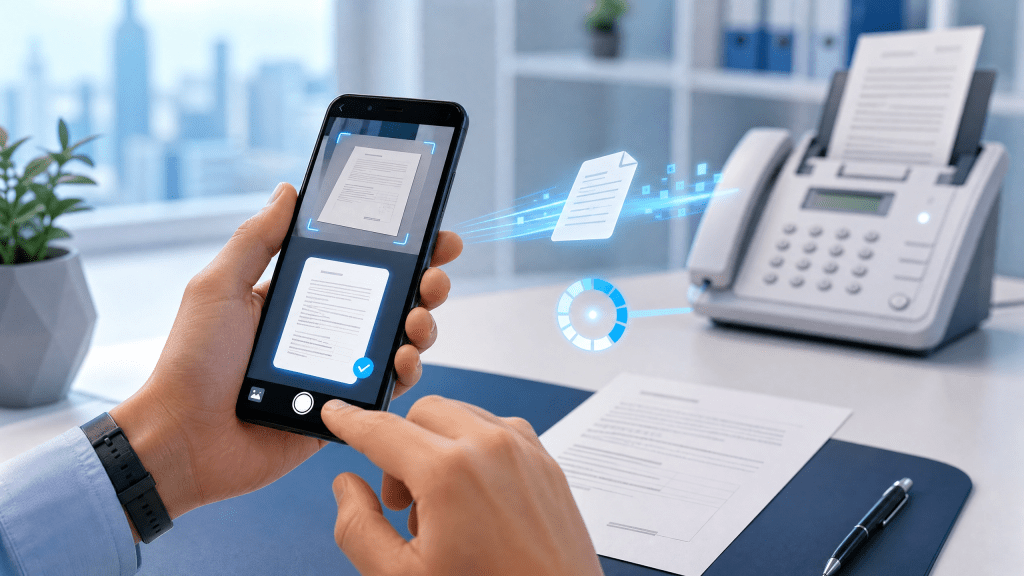
Faxing may sound outdated, but it is still widely used in industries like healthcare, law, real estate, and government services. The good news is that you no longer need a physical fax machine. Today, you can easily scan PDF to fax mobile using just your smartphone.
In this guide, we’ll walk through how to scan documents, convert them into PDF files, and send them as faxes directly from your mobile device.
Step 1: Scan Your Document into PDF
The first step is turning your physical document into a digital PDF.
How to do it:
- Open a scanning app on your phone
- Take a clear photo of the document
- Adjust edges and lighting
- Save it as a PDF file
Most modern apps automatically optimize the scan for readability.
Step 2: Choose a Mobile Fax Service
To send your scanned PDF as a fax, you need a mobile fax service.
What to look for:
- Easy PDF upload
- Secure transmission
- US or international fax numbers
- Mobile-friendly interface
If you’re exploring reliable solutions, platforms like faxrushly.com provide fast and simple ways to send documents directly from your phone.
Step 3: Get a Fax Number (Optional)
Some services allow you to receive faxes as well.
If you need a temporary setup, this guide on how to get a temporary US fax number for personal use explains how you can quickly set up a number without long-term commitment.
Step 4: Send PDF as Fax from Mobile
Once your document is scanned and ready, sending it is simple.
Steps:
- Open your fax app
- Upload the PDF file
- Enter recipient fax number
- Add cover page (optional)
- Tap “Send”
Within seconds, your document is transmitted securely.
Why Faxing from Mobile Matters
Mobile faxing is becoming more popular because it solves a major problem: convenience.
Benefits include:
- No need for fax machines
- No landline required
- Instant document scanning
- Fast transmission from anywhere
- Paperless workflow
With just a phone, you can handle important documents on the go.
Understanding Scan PDF to Fax Mobile Workflow
The scan pdf to fax mobile process usually involves three main stages:
1. Scanning
Convert physical documents into digital PDFs.
2. Uploading
Send the PDF to a fax service.
3. Transmission
The service converts the file into fax format and delivers it.
This entire process is now fully digital and mobile-friendly.
Advantages of Mobile Faxing
1. Portability
Send faxes anywhere, anytime.
2. Speed
No waiting for machines or printers.
3. Cost Efficiency
No need for paper, ink, or hardware.
4. Security
Encrypted transmission protects sensitive documents.
Common Use Cases
Mobile faxing is used in many real-world situations:
- Healthcare: Sending patient records
- Legal: Signing and submitting contracts
- Business: Sharing official documents
- Real Estate: Property paperwork
- Government forms: Identity verification
It remains an important communication tool in many industries.
Tips for Better Faxing Experience
1. Use Clear Scans
Blurry documents may fail transmission.
2. Check File Size
Keep PDFs optimized for faster sending.
3. Double-Check Fax Number
Incorrect numbers can lead to lost documents.
4. Use Reliable Apps
Choose trusted platforms for sensitive data.
Common Problems and Solutions
Fax Not Sending
Check internet connection and file format.
Poor Scan Quality
Rescan with better lighting.
Delivery Failure
Verify recipient fax number.
Real Experience
After tinkering with it all night, I finally got it working… At first, I thought faxing from a phone would be complicated, but once I learned the scan-and-send workflow, it became surprisingly fast and reliable.
Final Thoughts
Mobile faxing has transformed how we handle document communication. By combining scanning and digital fax services, you can now complete tasks that once required bulky machines—all from your smartphone.
Learning how to scan pdf to fax mobile gives you flexibility, speed, and convenience in handling important documents.
Whether you are in business, healthcare, or personal administration, mobile faxing is a practical tool that still plays a vital role in modern workflows.
Download Mobile Fax App
If you want an easy way to scan and send faxes directly from your phone, try this app:
It helps you scan, convert, and send documents instantly from anywhere.
 Faxapp - Best Online Fax Service | Send Faxes Online Securely
Leave a comment