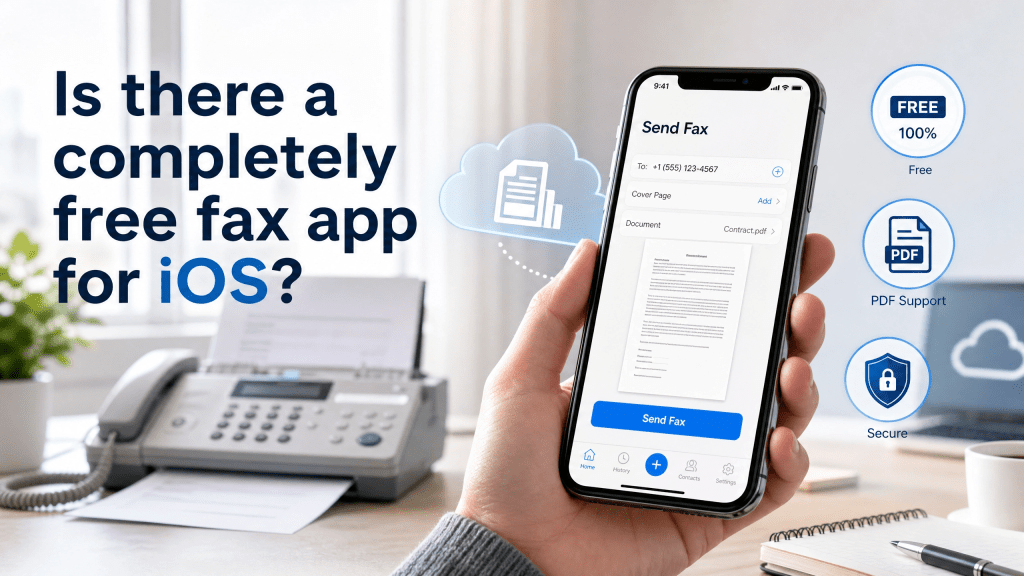
Faxing is still surprisingly important in 2026, especially in industries like healthcare, legal services, government, and finance. Even though most communication has moved to email and cloud platforms, many organizations still require fax for official document submission.
That leads to a common question from iPhone users: is there a completely free fax app for iOS?
The short answer is: yes, but with limitations. Let’s break it down clearly so you understand what “free” really means in the iOS fax world.
Are Completely Free Fax Apps Really Free?
When users search for a completely free fax app iOS, they usually expect unlimited faxing without payment. However, most apps fall into one of these categories:
1. Free Trial Apps
- Limited number of pages (e.g., 5–10 pages)
- Trial period (1–7 days)
- Then subscription required
2. Freemium Apps
- Free to download
- Pay per fax or per page
- Ads may be included
3. Credit-Based Apps
- Free credits for signup
- Additional credits must be purchased
4. Rare Truly Free Options
- Usually limited geographically or temporarily
- Often supported by ads or restrictions
So while “completely free” exists in marketing, in practice it usually comes with limits.
How Mobile Faxing Works on iPhone
Modern iOS fax apps typically work through cloud-based fax servers. The process looks like this:
- Scan or upload document
- Convert file to fax format
- Enter recipient fax number
- Send through online fax gateway
- Receive delivery confirmation
Some apps also support:
- PDF editing
- Camera scanning
- Signature tools
- Cloud storage integration
If you often scan documents before faxing, this guide is helpful:
👉 How to Scan PDF and Send Fax on Mobile
Best Free Alternatives for iPhone Faxing
While fully free unlimited fax apps are rare, there are still practical solutions:
1. Free Trial Fax Apps
Many apps allow short-term free use, ideal for occasional faxing.
2. Web-Based Fax Services
Browser-based tools sometimes provide free credits without installing apps.
You can explore services like:
👉 FaxRushly
These platforms often provide:
- Quick fax sending
- No installation required
- Pay-as-you-go options
Combining Scanner Apps + Fax Services
A powerful workflow for iPhone users is combining scanning + fax tools:
- Use iPhone camera or scanner app to digitize documents
- Convert to PDF
- Upload to fax service
- Send instantly
This reduces errors and improves document clarity before sending.
Real Limitations of Free Fax Apps
Even the best free fax apps have constraints:
1. Page Limits
Most apps restrict free users to a few pages per month.
2. Watermarks
Some free services add branding to documents.
3. Ads
Free tiers often include advertising.
4. Speed Restrictions
Free users may experience slower processing.
5. Region Limitations
Some services only support certain countries.
Security Considerations
Faxing involves sensitive documents, so security matters:
- Always use HTTPS-based services
- Avoid unknown fax providers
- Check privacy policies
- Do not upload sensitive files to untrusted apps
Healthcare and legal users should especially ensure compliance with data protection rules.
Tips for Better iPhone Faxing Experience
Use High-Quality Scans
Blurry scans can cause fax failures.
Convert to PDF First
PDF format ensures consistent layout.
Double Check Fax Number
Wrong numbers cannot be reversed.
Keep Confirmation Receipts
Proof of sending is important for legal use.
Use Reliable Internet
Even though fax is digital, upload stability matters.
When Free Fax Apps Are Enough
Free fax apps are suitable for:
- Occasional users
- One-time document sending
- Personal paperwork
- Small tasks
However, businesses or frequent users usually need paid plans for reliability and volume.
Final Thoughts
So, is there a truly completely free fax app iOS solution? The reality is that most “free” options come with limits, but they are still useful for occasional faxing needs. If you only send faxes occasionally, free trials or credit-based apps are usually enough.
For better performance, combining scanning tools with reliable fax services provides the best experience on iPhone.
During my own workflow testing, I found that integrating document scanning before faxing significantly improves success rates and reduces errors.
I started using QR codes more during events and honestly, it saved me a lot of time.
If you’re looking for a smooth mobile fax experience, explore scanning + fax integration tools like:
👉 How to Scan PDF and Send Fax on Mobile
📱 Recommended iOS Fax App Download
Download the iPhone fax app here:
👉 https://apps.apple.com/us/app/id6754670168
 Faxapp - Best Online Fax Service | Send Faxes Online Securely
Leave a comment