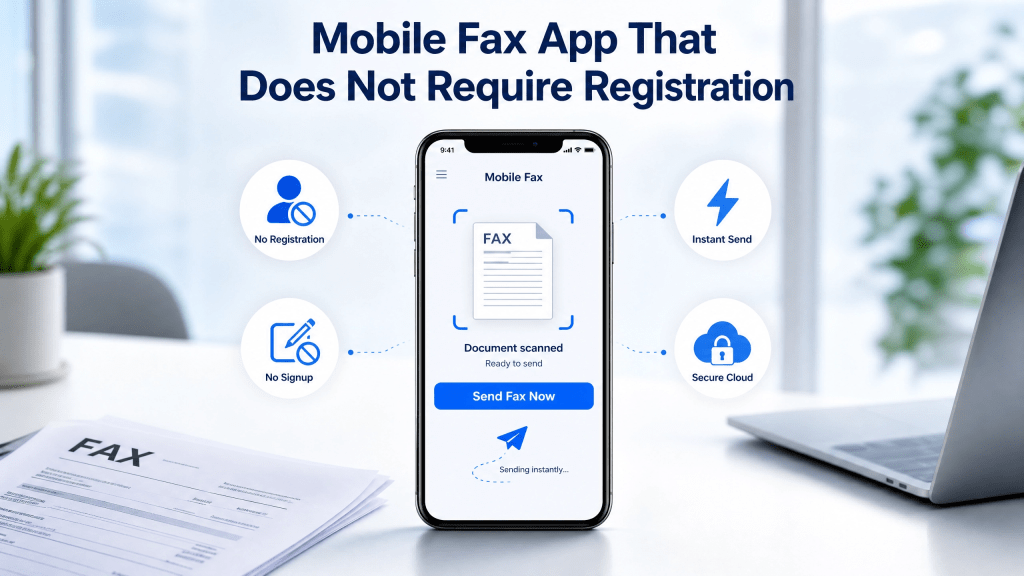
Faxing is still widely used in 2026, especially in healthcare, legal services, government offices, and business communication. However, traditional fax machines are no longer practical for most users.
Today, people want fast, simple solutions that work directly from their phone—without sign-ups, subscriptions, or complicated setup. That’s why the demand for a free fax app no registration experience is growing quickly.
In this guide, we’ll explain how mobile faxing works without registration, why it matters, and how you can send and receive documents instantly from your smartphone.
What Does “No Registration Fax App” Mean?
A no-registration fax app allows users to:
- Send fax documents instantly
- Avoid account creation
- Skip email verification
- Start using the service immediately
This makes it ideal for users who only need quick or occasional faxing.
With a free fax app no registration, the process becomes much faster and more convenient.
Why Faxing Still Exists Today
Even with email and messaging apps, faxing is still important because:
- Many legal systems still accept fax documents
- Healthcare institutions require secure transmission
- Government agencies use fax for official submissions
- Some businesses still rely on legacy workflows
So instead of disappearing, faxing has simply moved to mobile and cloud platforms.
How Mobile Faxing Works
Modern fax apps replace physical machines with digital systems.
The process is simple:
- Scan or upload a document
- Convert it into PDF format
- Enter the recipient fax number
- Send the fax via cloud system
- Receive confirmation instantly
Everything happens online, directly from your phone.
Step 1: Choose a Mobile Fax Service
To start faxing without registration, you need a service that supports instant usage.
Some platforms allow:
- Quick fax sending without signup
- Temporary access modes
- Pay-per-use or free trial sending
- Mobile-friendly interfaces
One example of a fast online fax tool is:
Fast Online Fax Service
These tools are designed for users who need speed and simplicity.
Step 2: Get a Fax Number (Optional but Useful)
Some fax systems provide a virtual fax number, which helps with receiving documents.
A fax number allows you to:
- Receive incoming faxes
- Maintain communication records
- Share a stable contact point
- Work without physical hardware
You can learn how to get one instantly here:
Get a Local US Fax Number Instantly
Step 3: Send a Fax from Your Phone
Once you open a no-registration fax service:
- Upload your document
- Enter fax number
- Confirm sending
- Wait for delivery confirmation
No account, no password, no waiting.
Benefits of No Registration Fax Apps
Using a free fax app no registration system offers several advantages:
1. Instant Access
You can start faxing immediately without setup.
2. No Personal Data Required
No email or identity verification needed.
3. Faster Workflow
Perfect for urgent document sending.
4. Simple Interface
Minimal steps reduce confusion.
5. Mobile-Friendly
Works directly from smartphones.
Real Use Cases
No-registration fax apps are commonly used for:
- Emergency document submission
- One-time legal paperwork
- Medical form sending
- Business invoice transmission
- Travel or remote work needs
They are especially useful when speed matters more than long-term usage.
Why Mobile Faxing is Replacing Machines
Traditional fax machines have several limitations:
- Require physical hardware
- Need phone lines
- Slow document processing
- High maintenance cost
- Not mobile-friendly
Mobile fax apps eliminate all of these problems by moving everything to the cloud.
Real-World Experience
Many users only realize the convenience after trying it.
To be honest, I didn’t think much about QR scanners until I actually needed one.
The same applies to faxing—people assume it’s outdated or complicated until they use a mobile fax app and see how fast and simple it really is.
Security of No Registration Faxing
Even without accounts, modern fax systems still provide:
- Encrypted transmission
- Secure cloud processing
- Temporary session handling
- Protected document transfer
This ensures sensitive information remains safe during transmission.
Common Mistakes to Avoid
When using mobile fax apps without registration, users sometimes:
- Enter incorrect fax numbers
- Upload unclear scans
- Forget to check file format
- Close the app before confirmation
Avoiding these mistakes ensures successful fax delivery.
When to Use No Registration Fax Apps
These apps are best for:
- One-time fax needs
- Emergency document sending
- Quick business communication
- Users who don’t want accounts
- First-time fax users
They are not designed for heavy enterprise usage but are perfect for casual needs.
Advantages Over Traditional Faxing
Compared to old systems, mobile fax apps offer:
- No setup or hardware required
- Instant document sending
- Lower cost
- Remote access
- Paperless workflow
This makes them far more efficient in modern use cases.
Future of Mobile Faxing
Faxing is evolving into a fully digital service with:
- AI-powered document scanning
- Faster cloud transmission
- Smart error detection
- Real-time delivery tracking
- Integration with productivity apps
The future of faxing is mobile, fast, and fully digital.
Final Thoughts
A free fax app no registration solution is ideal for users who need quick, simple, and hassle-free document sending. It removes unnecessary steps like sign-ups and subscriptions while still offering fast and secure fax transmission.
Whether you are handling business documents, legal forms, or personal paperwork, mobile fax apps provide a modern and efficient alternative to traditional fax machines.
Get the App
Start sending fax documents instantly from your phone:
 Faxapp - Best Online Fax Service | Send Faxes Online Securely
Leave a comment