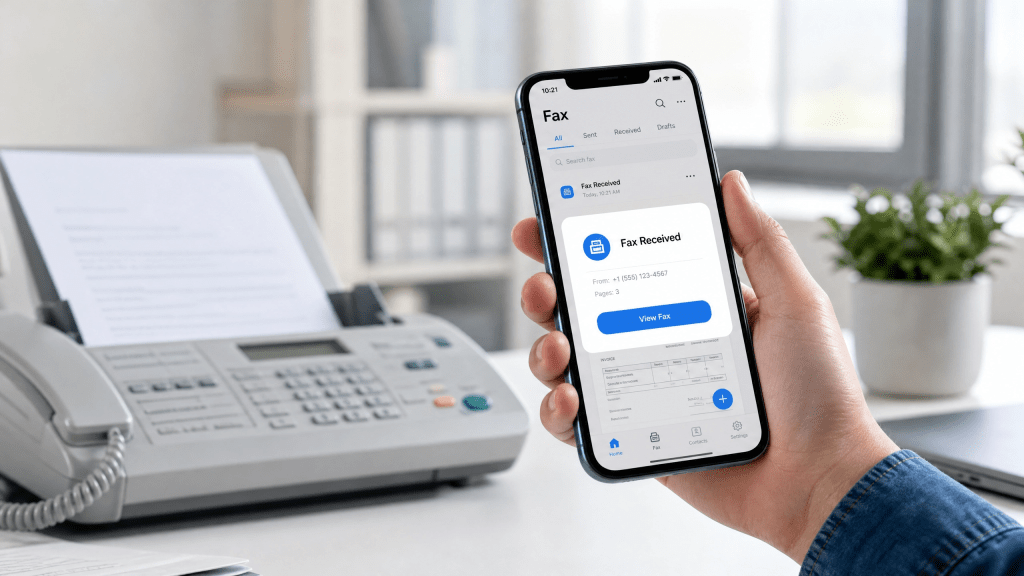
Receiving faxes used to require a physical fax machine, a dedicated phone line, and constant paper handling. Today, things are much simpler. With modern mobile technology, you can easily receive fax on phone free using online fax apps and cloud-based services.
This is especially useful for freelancers, small business owners, healthcare workers, and anyone who needs quick access to official documents without hardware.
In this guide, you’ll learn how free fax receiving works, what tools you need, and how to set it up properly on your phone.
How mobile fax receiving works
Instead of a physical fax machine, everything is handled digitally.
Basic process:
- You get a virtual fax number
- Someone sends a fax to that number
- The system receives the fax digitally
- You view it on your phone or app
No printer, paper, or landline is needed.
Can you really receive fax on phone for free?
Yes, you can—but with some conditions.
Most services that allow you to receive fax on phone free offer:
- A free virtual fax number
- Limited incoming pages
- Basic document storage
- Optional paid upgrades for advanced features
While not always unlimited, free plans are usually enough for personal or light business use.
Steps to receive fax on your phone
Step 1: Choose a fax app or service
Install a trusted fax application that provides a free incoming fax number.
Step 2: Get your fax number
The app assigns you a virtual number (often US-based).
Step 3: Share your number
Give it to anyone who needs to send you a fax.
Step 4: Receive documents
Incoming faxes will appear inside the app or via email notification.
Step 5: Save or export files
You can store, forward, or download the documents as PDFs.
Why people still receive fax in 2026
Even though digital communication is widespread, fax is still used in:
Healthcare
Patient records and insurance documents.
Legal industry
Contracts and signed agreements.
Government offices
Official forms and applications.
Business operations
Invoices, approvals, and compliance documents.
Fax remains popular because it is widely accepted and traceable.
Free fax receiving vs paid plans
Free plans usually include:
- Limited incoming pages
- Basic storage
- Ads in the app
Paid plans offer:
- Unlimited fax receiving
- Larger storage space
- Advanced document management
- Multiple fax numbers
For occasional use, free plans are usually sufficient.
Best features to look for
When choosing a fax receiving app, look for:
1. Reliable delivery
Faxes should arrive without delay or missing pages.
2. Secure storage
Documents should be encrypted and protected.
3. Easy access
You should be able to open files instantly on your phone.
4. Notification support
Alerts when new fax arrives.
5. Cloud backup
Optional saving to Google Drive or iCloud.
Online fax services as an alternative
Some users prefer browser-based fax systems instead of apps.
These services allow you to:
- Receive faxes online
- Manage documents from any device
- Avoid installing apps
This guide explains how online fax systems are used for legal and official documents: send legal documents via online fax.
Common issues when receiving fax on phone
1. Delayed delivery
Sometimes faxes take a few minutes to arrive.
2. Wrong fax number
Incorrect numbers mean missed documents.
3. File compatibility issues
Rare cases where formatting is not perfect.
4. Storage limits
Free plans may limit how long files are stored.
Tips for better fax receiving experience
- Keep your fax number private
- Check app notifications regularly
- Download important documents immediately
- Use secure Wi-Fi when accessing files
- Upgrade if you need long-term usage
Use cases for mobile fax receiving
Freelancers
Receiving contracts and client documents.
Small businesses
Handling invoices and approvals.
Students
Receiving academic forms or certificates.
Remote workers
Managing office documents without physical access.
Example workflow
A typical mobile fax setup looks like this:
- Install fax app
- Get free fax number
- Receive contract from client
- Review document on phone
- Save or forward to cloud storage
This workflow eliminates the need for physical machines entirely.
Why simplicity matters in fax apps
Many users download apps with too many features but only use basic functions.
In my experience, a simple and fast QR scanner is way better than one with too many features.
The same principle applies to fax apps—simple tools are usually faster, more reliable, and easier to manage.
Security considerations
When receiving fax on your phone:
- Use apps with encryption
- Avoid unknown providers
- Regularly update your app
- Don’t share your fax number publicly
- Protect sensitive documents with passwords
Security is especially important for legal and medical documents.
Future of mobile fax receiving
Fax technology is evolving into:
- Fully cloud-based systems
- AI document sorting
- Automatic file tagging
- Smart notification systems
- Integrated business communication platforms
Even though fax is traditional, it continues to adapt to modern workflows.
Final thoughts
Learning how to receive fax on phone free is useful for anyone who deals with official documents. With the right app or service, you can get a virtual fax number and manage incoming documents directly from your smartphone.
While free plans may have limitations, they are often enough for everyday personal or small business use.
For users who also need fax sending capabilities, this resource provides additional options for mobile fax workflows: online fax tools guide.
To complete your setup, you can also use a dedicated mobile fax app for full document management: iOS fax app download
With these tools, faxing becomes fully digital, fast, and accessible anywhere.
 Faxapp - Best Online Fax Service | Send Faxes Online Securely
Leave a comment