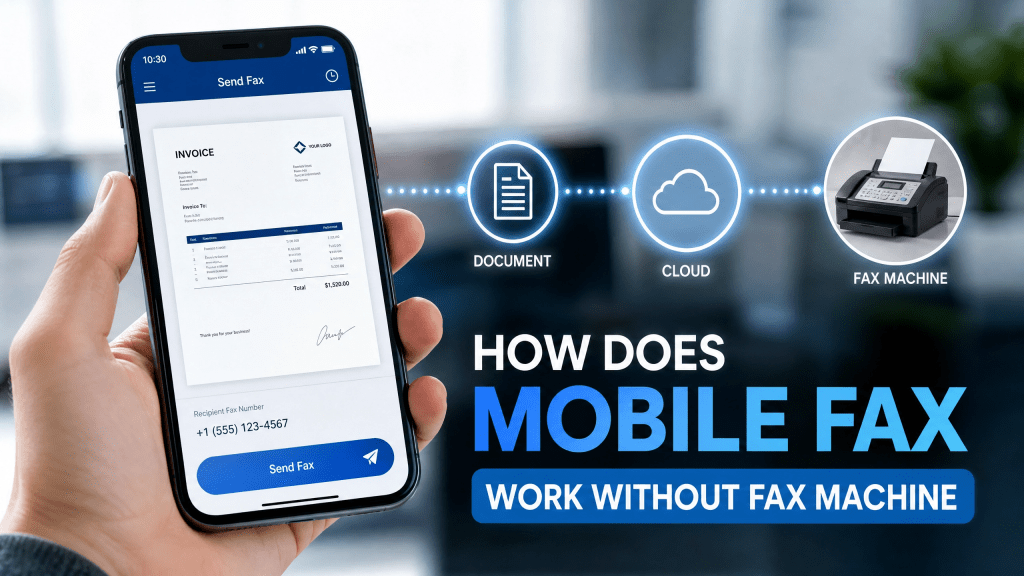
Faxing has been a core communication method for decades, especially in industries like law, healthcare, insurance, and government services. Traditionally, sending a fax required a dedicated machine, a phone line, and physical paper documents.
However, in 2026, things have completely changed. Today, users can send and receive documents using mobile fax without fax machine technology—directly from smartphones, tablets, or computers.
This shift has made faxing faster, cheaper, and far more accessible for individuals and businesses.
How Mobile Fax Technology Works Behind the Scenes
Even though it feels simple from the user side, mobile faxing uses a multi-step digital process:
1. Document Digitization
The process begins when you scan or upload a document using your phone. The file is converted into a digital format such as PDF or TIFF.
2. Cloud Transmission
Instead of using a phone line, the document is uploaded to a secure cloud server.
3. Fax Conversion System
The server converts the digital file into a format compatible with traditional fax machines.
4. PSTN Bridge Delivery
The system connects to the Public Switched Telephone Network (PSTN) to deliver the fax to the recipient’s fax number.
5. Delivery Confirmation
Once the fax is successfully sent, a confirmation report is generated and stored.
This entire process usually takes only a few seconds to a few minutes.
Why Mobile Fax Is Replacing Traditional Machines
The shift away from physical fax machines is driven by several advantages:
- No hardware maintenance required
- No dedicated phone line needed
- Works anywhere with internet access
- Faster document transmission
- Lower operational costs
- Easy integration with mobile workflows
For businesses and individuals alike, mobile faxing provides a far more efficient solution.
What Is Mobile Fax Without a Fax Machine?
Mobile faxing is a digital method of sending documents over the internet instead of telephone lines. Instead of printing and feeding paper into a machine, users simply:
- Scan documents with a smartphone camera
- Upload digital files like PDFs or images
- Send them through an online fax service
The system converts your file into a fax-compatible format and transmits it to the recipient’s fax number.
This is why mobile fax without fax machine has become the modern standard for document transmission.
Use Cases for Mobile Faxing
Even in a digital-first world, faxing remains essential in many industries:
- Legal document submissions
- Medical records and prescriptions
- Insurance claims and verification forms
- Government applications
- Real estate contracts
- Financial documents
In all these scenarios, mobile fax provides the same legal reliability as traditional fax machines.
Choosing a Reliable Mobile Fax Service
When selecting a fax solution, users should consider:
- Security and encryption standards
- Ease of use on mobile devices
- Availability of free sending options
- Delivery confirmation receipts
- Support for PDF and image formats
A good service ensures that users can send documents without technical complexity.
For example, some platforms are designed specifically to simplify faxing without requiring physical hardware:
👉 Free Online Fax Service Without Credit Card
These services are especially useful for users who only need occasional faxing without subscription commitments.
Practical Workflow Example
Here is how a typical mobile fax process looks in real life:
- Open your fax app or web service
- Scan or upload a document
- Enter the recipient’s fax number
- Add optional cover details
- Tap send
- Receive confirmation once delivered
There is no need for printers, paper, or physical fax machines at any stage.
Alternative Tools for Mobile Faxing
Some users prefer web-based or hybrid platforms that offer additional flexibility and integration features.
One example of a service designed for modern fax workflows is:
👉 FaxRushly Online Fax Platform
These tools help bridge traditional fax infrastructure with mobile-first convenience.
Productivity Tip for Better Scans
Here’s a small tip I wish I knew earlier — lighting actually makes a big difference when scanning.
Good lighting improves scan clarity, reduces file errors, and ensures documents are accepted without delays. Always scan documents near natural light or use automatic enhancement features in scanning apps.
Security and Privacy Considerations
Since faxing often involves sensitive documents, security is important:
- Use encrypted transmission services
- Avoid public Wi-Fi when sending documents
- Delete unnecessary copies after sending
- Keep confirmation receipts for records
Most modern mobile fax systems are designed with compliance and privacy in mind.
Mobile Fax vs Traditional Fax Machine
| Feature | Mobile Fax | Traditional Fax |
|---|---|---|
| Hardware needed | No | Yes |
| Internet required | Yes | No (phone line) |
| Mobility | High | Low |
| Cost | Low | High |
| Setup time | Minutes | Hours |
The comparison clearly shows why mobile fax is becoming the preferred option.
Final Thoughts
The evolution of fax technology has transformed how documents are sent and received. What once required bulky machines and dedicated phone lines can now be done instantly from a smartphone.
Understanding mobile fax without fax machine helps users realize that faxing is not outdated—it has simply evolved into a digital, cloud-based system.
For professionals handling legal, medical, or financial paperwork, mobile faxing provides a reliable and efficient alternative that fits perfectly into modern workflows.
To explore practical solutions for sending documents online without hardware or subscriptions, you can review:
👉 Free Online Fax Service Without Credit Card
As mobile technology continues to evolve, faxing will remain an essential bridge between traditional institutions and modern digital communication.
 Faxapp - Best Online Fax Service | Send Faxes Online Securely
Leave a comment